Comprehensive WordPress security event monitoring with real-time alerts. Know exactly who did what, when, and from where.
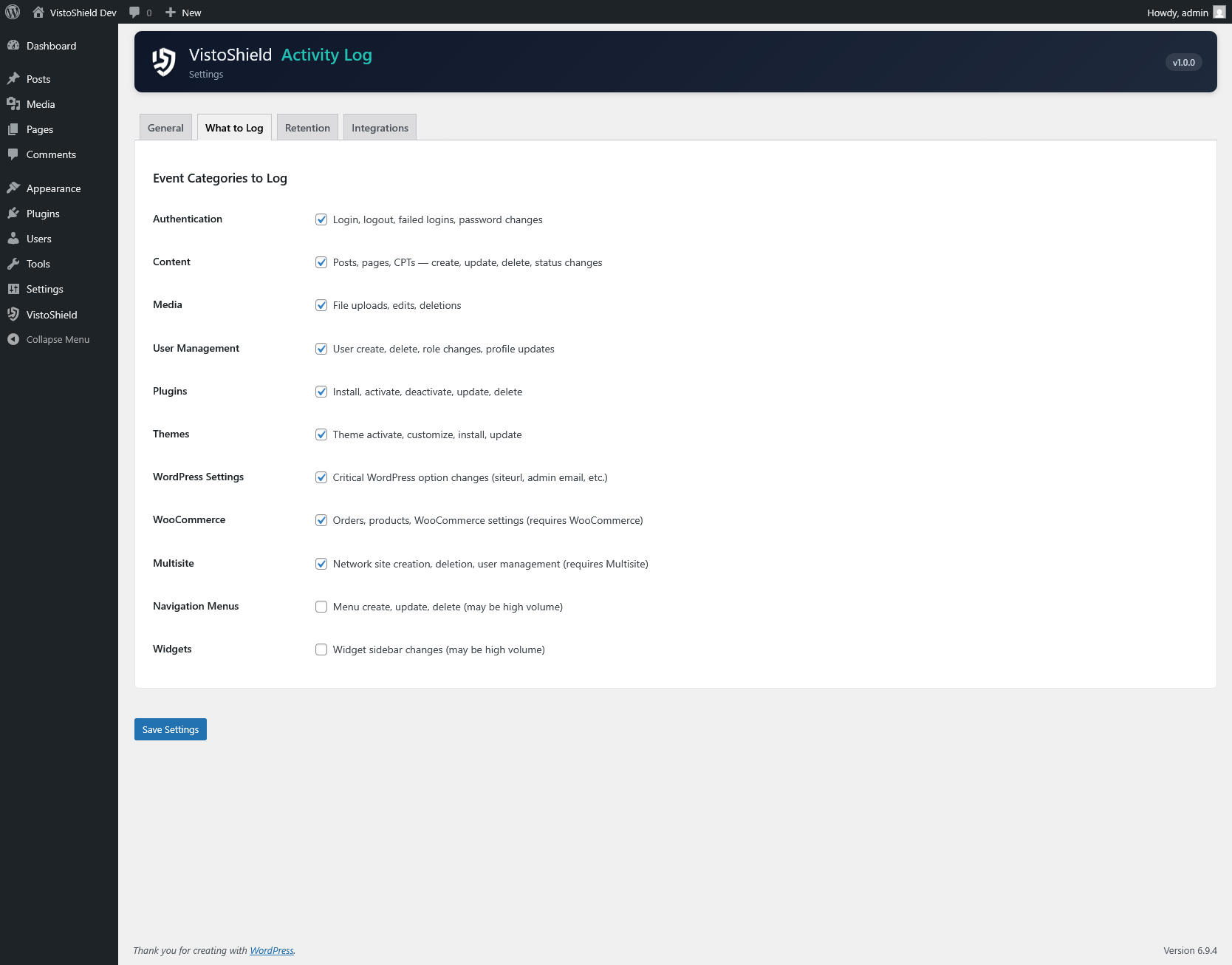
Monitors logins, content changes, plugin and theme activations, settings modifications, user management, media uploads, and taxonomy changes.
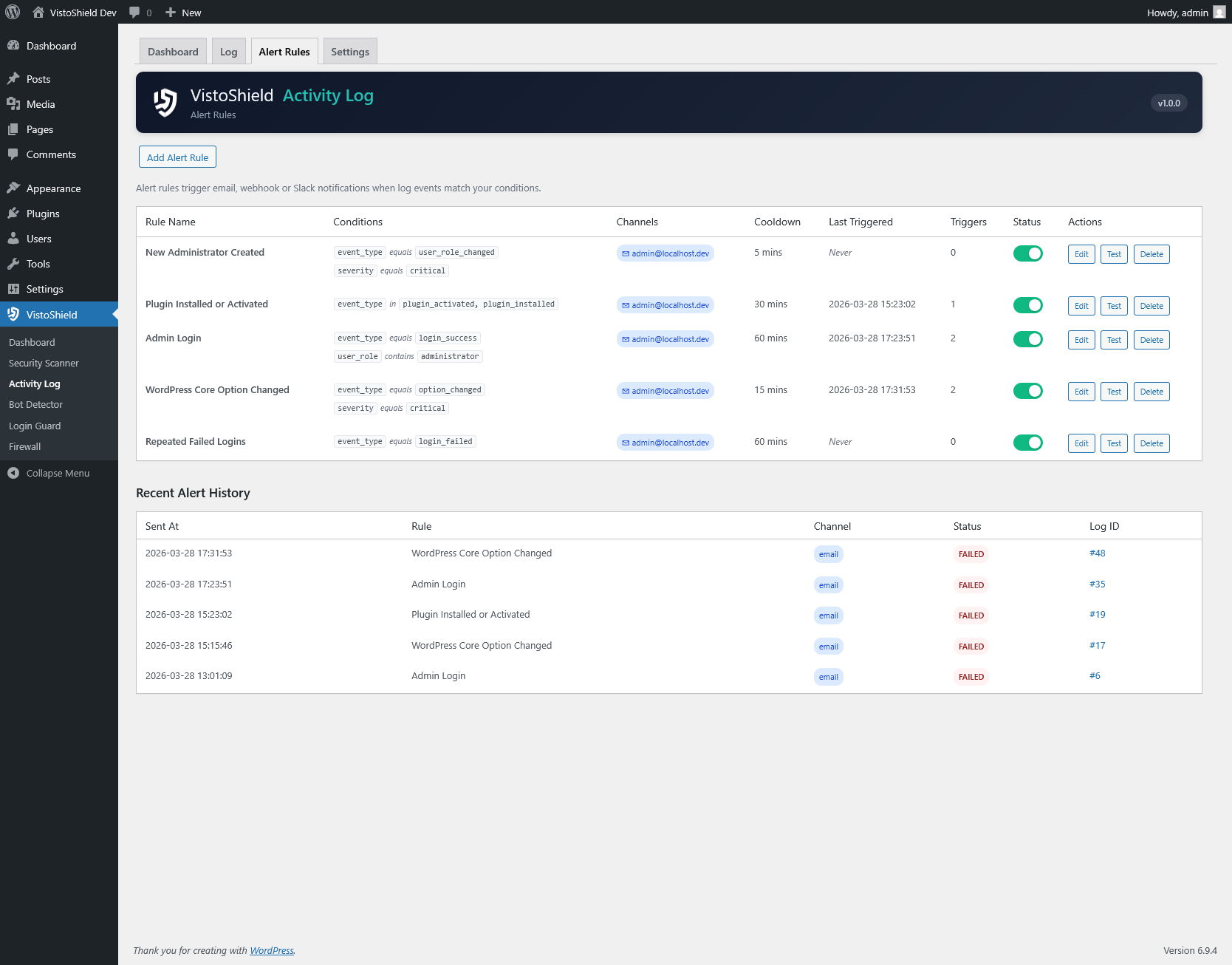
Create custom alert conditions that trigger email, Slack, or webhook notifications. Combine event type, severity, user role, and frequency conditions.
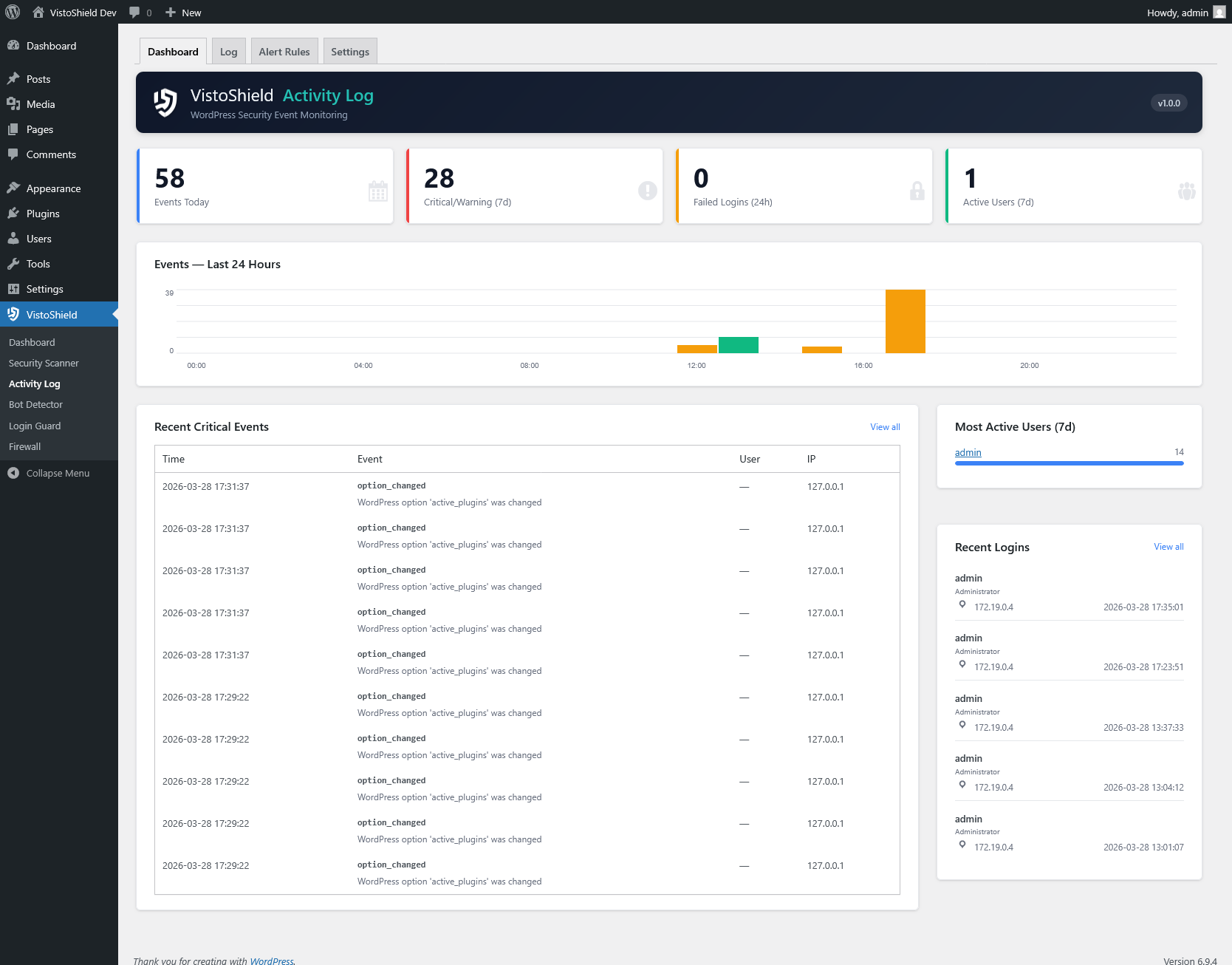
Events chart showing activity over time, critical alert badges, active user count, and the most recent events at a glance on your WordPress dashboard.
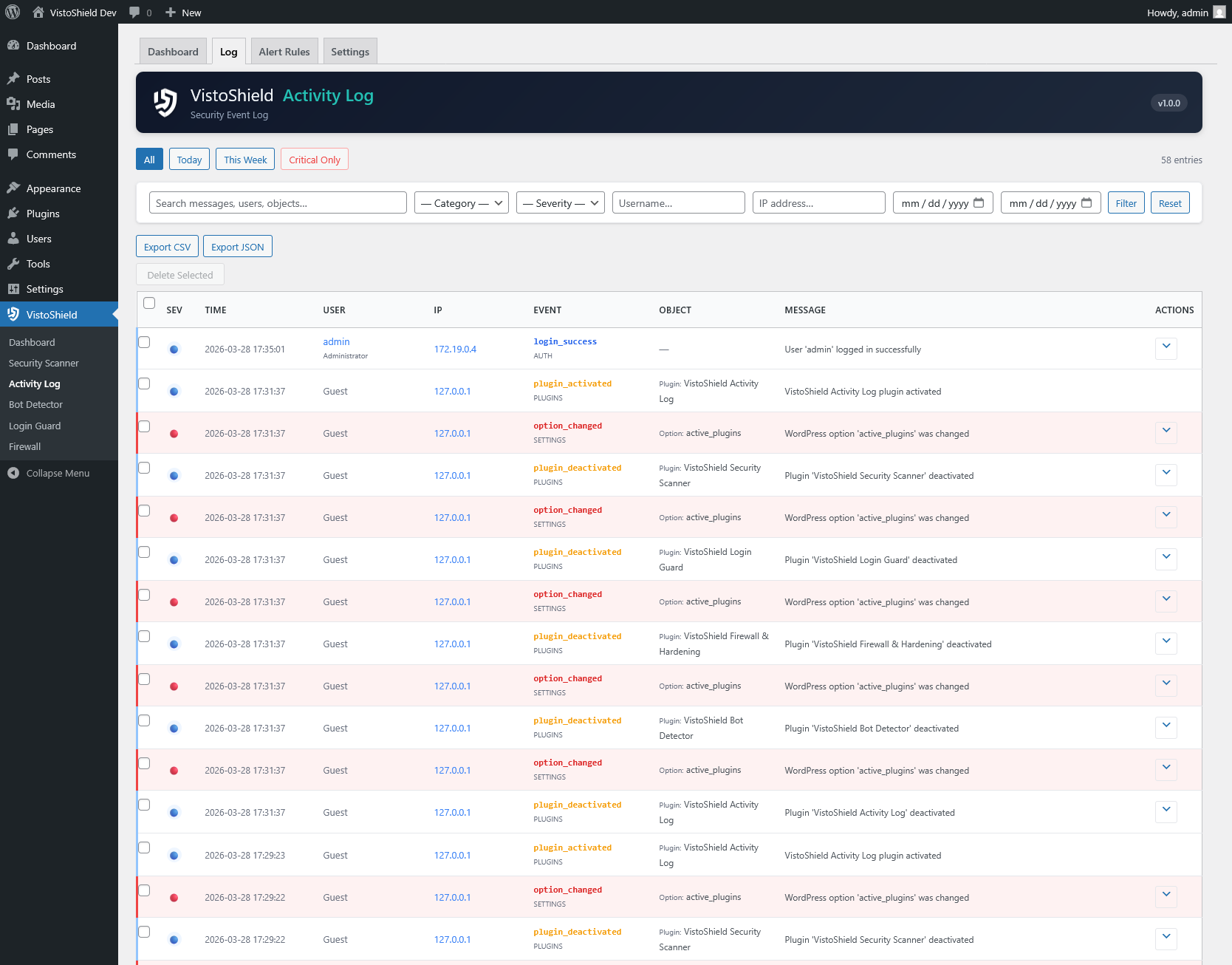
Filter events by category, severity level, user, IP address, and date range. Export filtered results as CSV or JSON for external analysis.
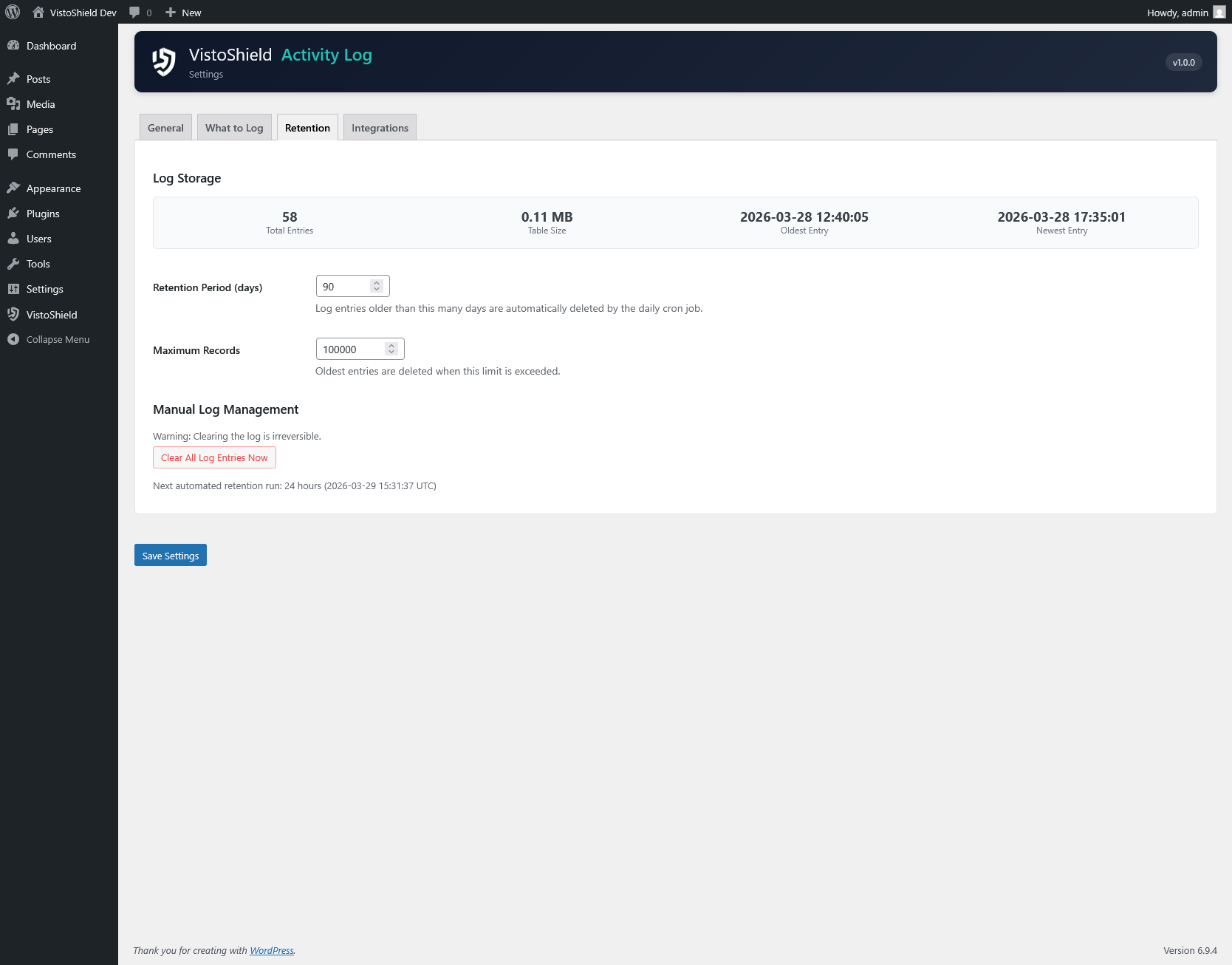
Built-in personal data export and erasure tools that integrate with the WordPress privacy framework. Configurable data retention periods.
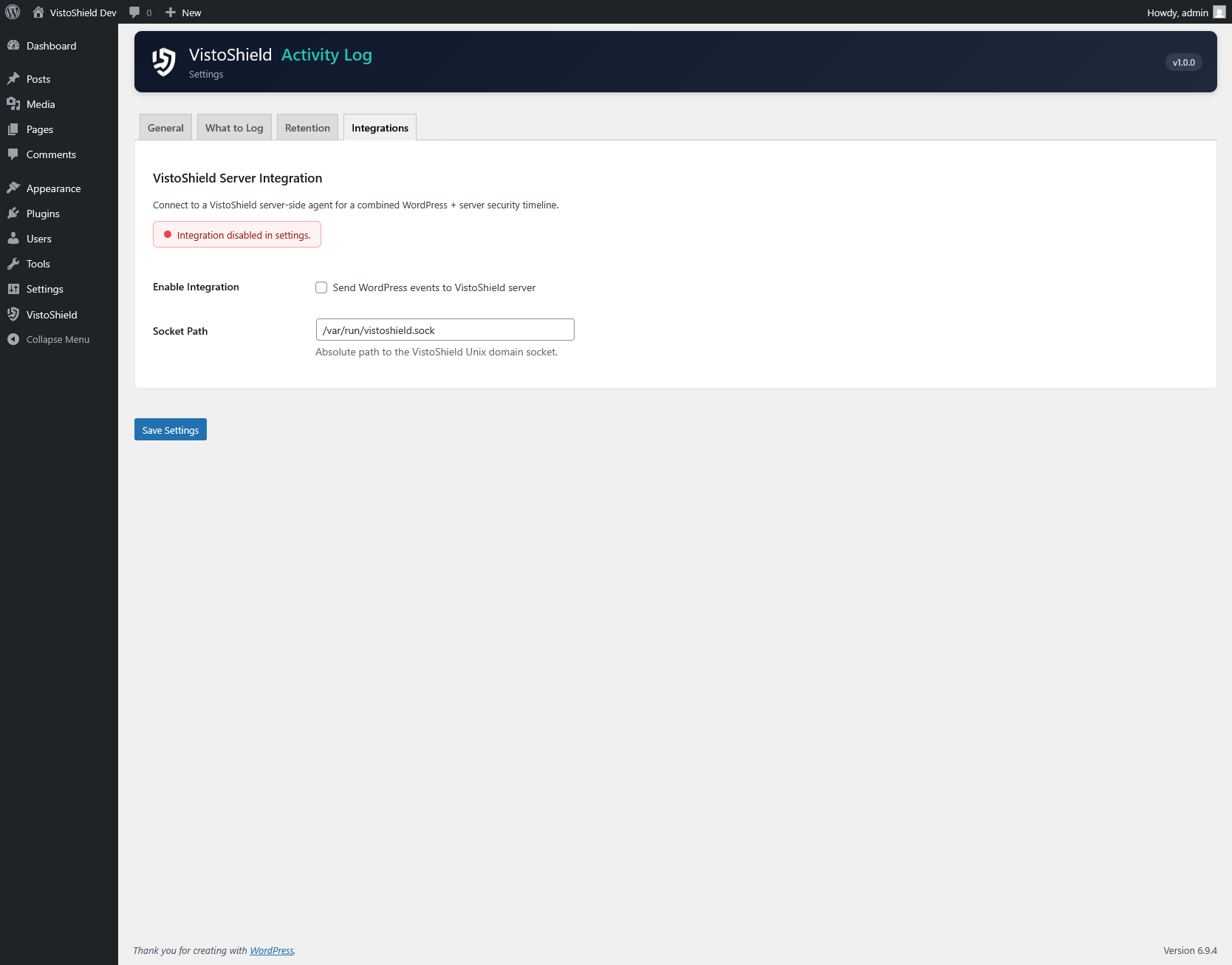
Feeds security events to the VistoShield Linux daemon for a combined timeline across WordPress and server-level activity. Correlate login failures with firewall blocks.
The Activity Log captures events across every major area of WordPress. Each event record includes the timestamp, user who performed the action, IP address, user agent, event category, severity level, and a human-readable description of what changed.
Each alert rule consists of:
Example: alert when a non-admin user modifies plugin settings more than 3 times in 10 minutes, send to Slack, with a 1-hour cooldown.
The Activity Log supports three notification channels. Email notifications use the WordPress mail system and include a formatted summary of the triggering event. Slack notifications send a rich message to any Slack channel via an incoming webhook URL. Custom webhooks send a JSON payload to any HTTP endpoint, making it easy to integrate with ticketing systems, SIEM platforms, or custom dashboards.
Each alert rule can send to multiple channels simultaneously. All notification deliveries are logged so you can verify they were sent successfully.
The Activity Log integrates with the WordPress privacy tools introduced in version 4.9.6. When a user submits a data export request, all activity log entries associated with that user are included in the export. When a user submits an erasure request, their log entries are anonymized by replacing personally identifiable information with generic placeholders while preserving the event record for security auditing.
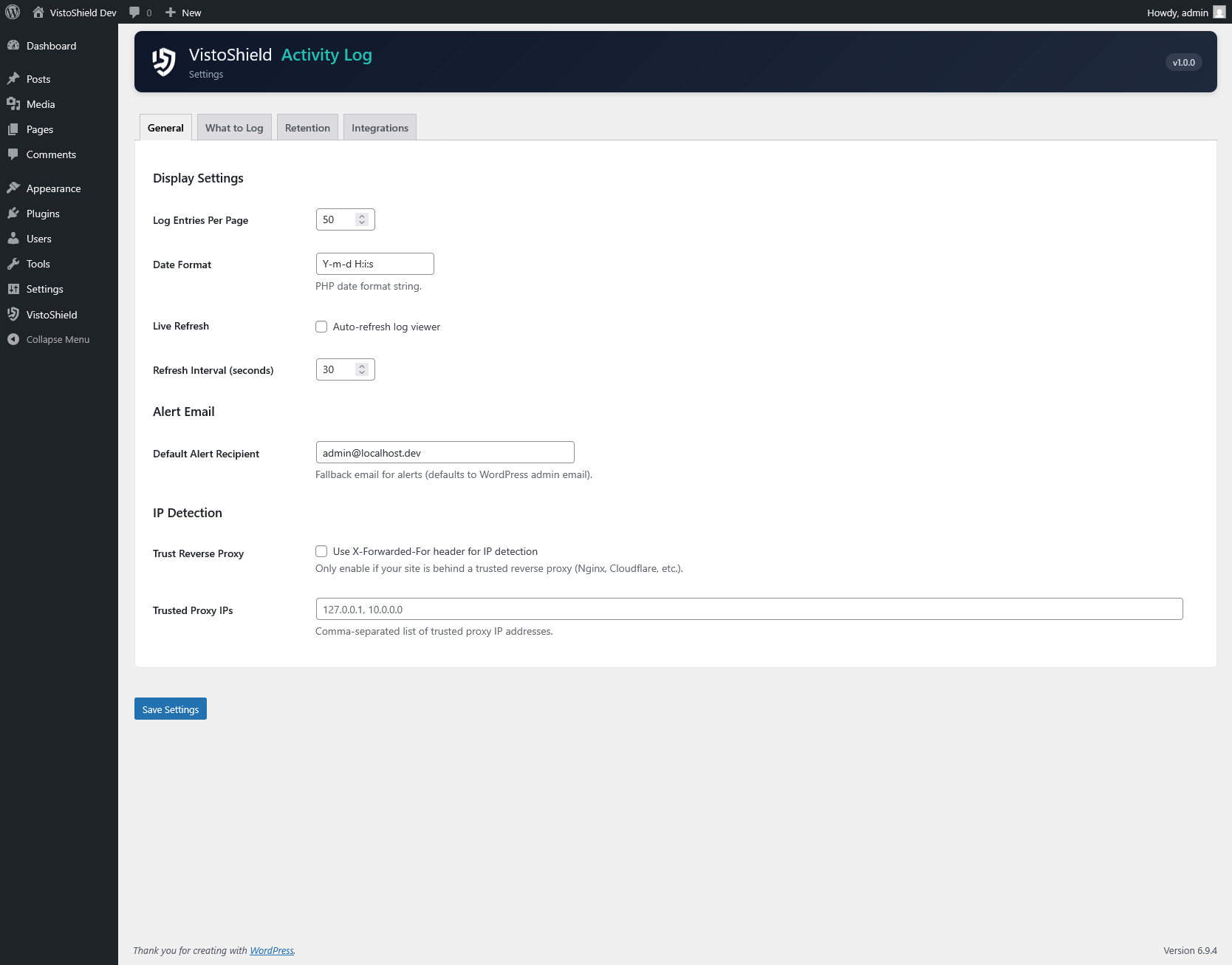
Configurable data retention lets you automatically purge log entries older than a specified period (30, 60, 90, 180, or 365 days). Purged entries are permanently deleted from the database.
Install Activity Log from the WordPress plugin directory and start tracking events immediately.
Get Started Free