Protect Your WordPress & Joomla Sites.
Prevent Attacks. Sleep Better.
One lightweight agent. One EU-hosted cloud dashboard. Real-time firewall, malware scanning, virtual patching, and threat monitoring for WordPress and Joomla 3/4/5 — with no traffic proxying and no DNS changes required.
Built on 25+ years of hosting security expertise (Vistoweb, est. 2002) • EU-hosted • GDPR compliant
WordPress plugin on wordpress.org • Joomla 3/4/5 agent • No DNS changes required
"We've been securing WordPress and Joomla sites for our hosting customers since 2002. VistoShield is the cloud platform we built to bring that protection to every site we manage — without the proxy, without the DNS changes, without the markup."
Dimitris Tsopanakis — Founder, Vistoweb (est. 2002)
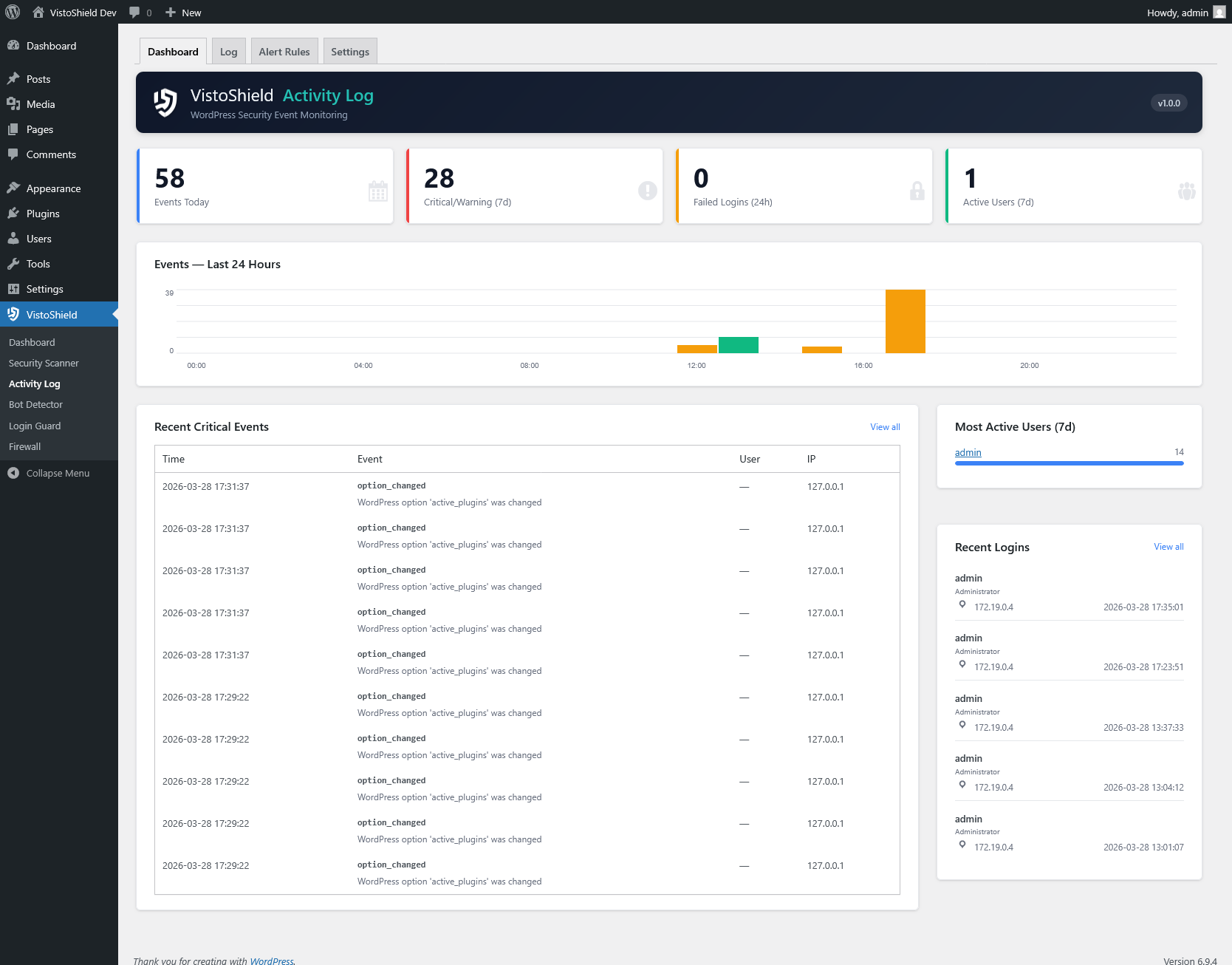
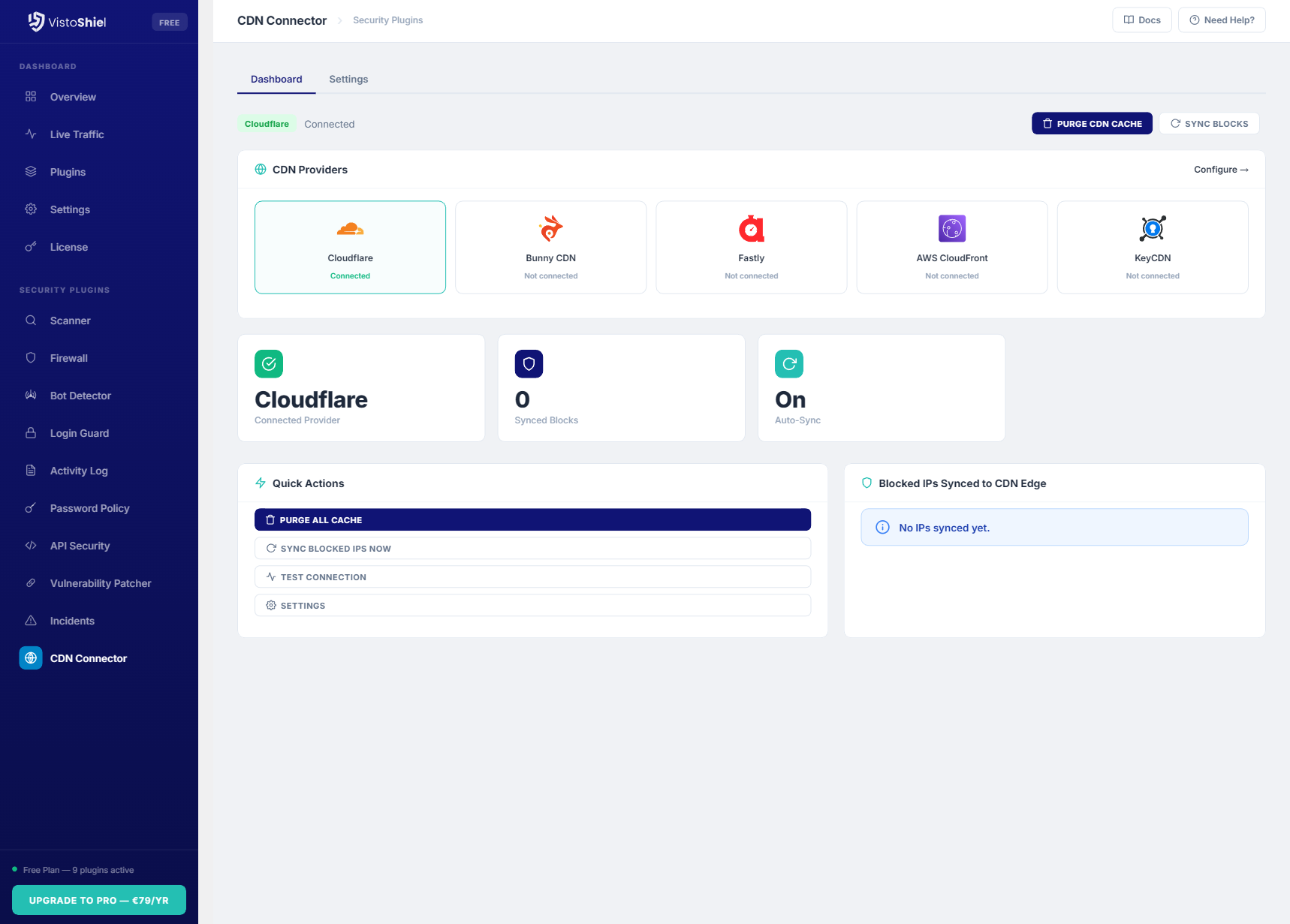
Your Security Operations Center
See every threat. Respond in seconds. Prove compliance. All from your browser.


Why Teams Choose VistoShield
Not just another security plugin. A complete cloud platform.
See Everything
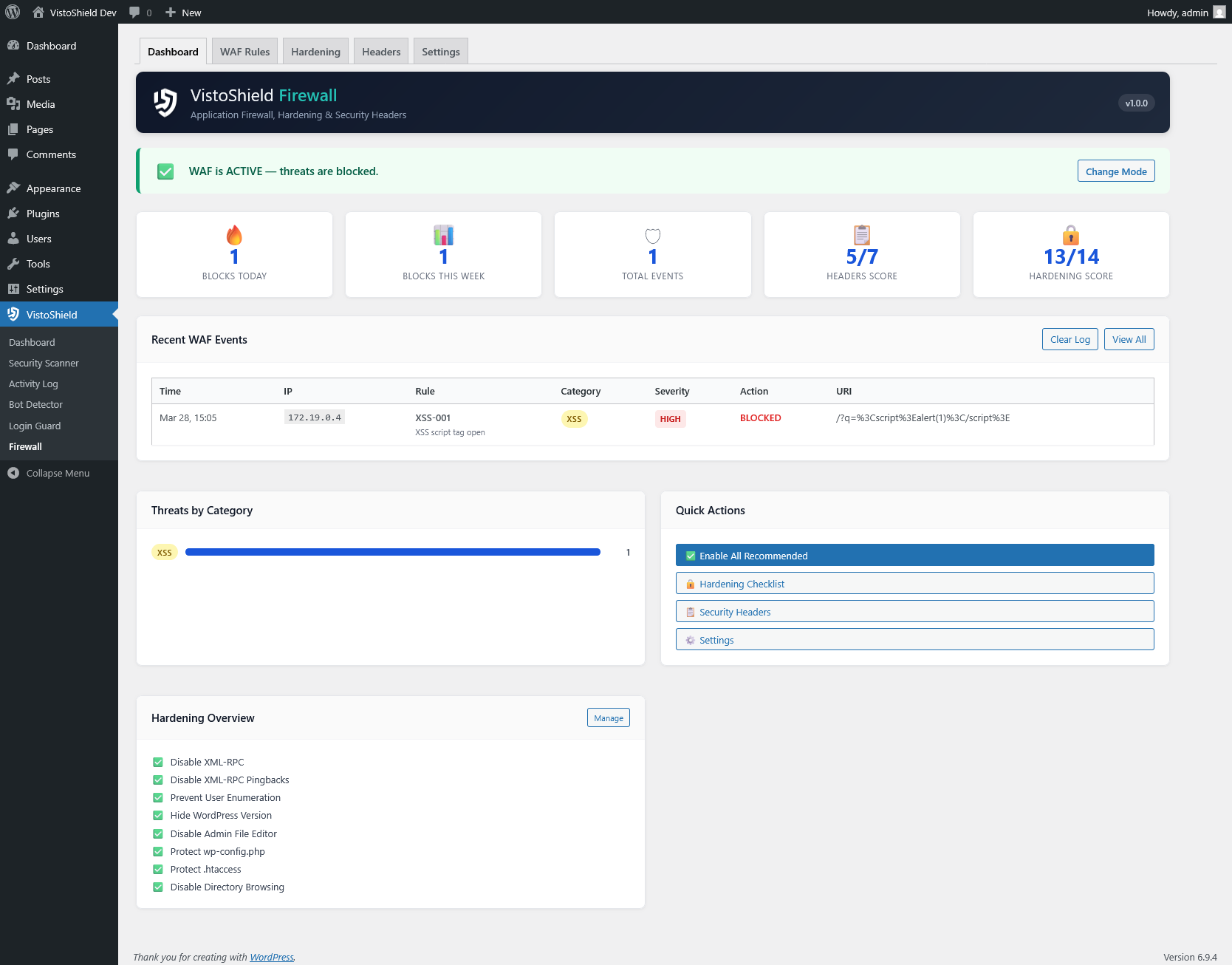
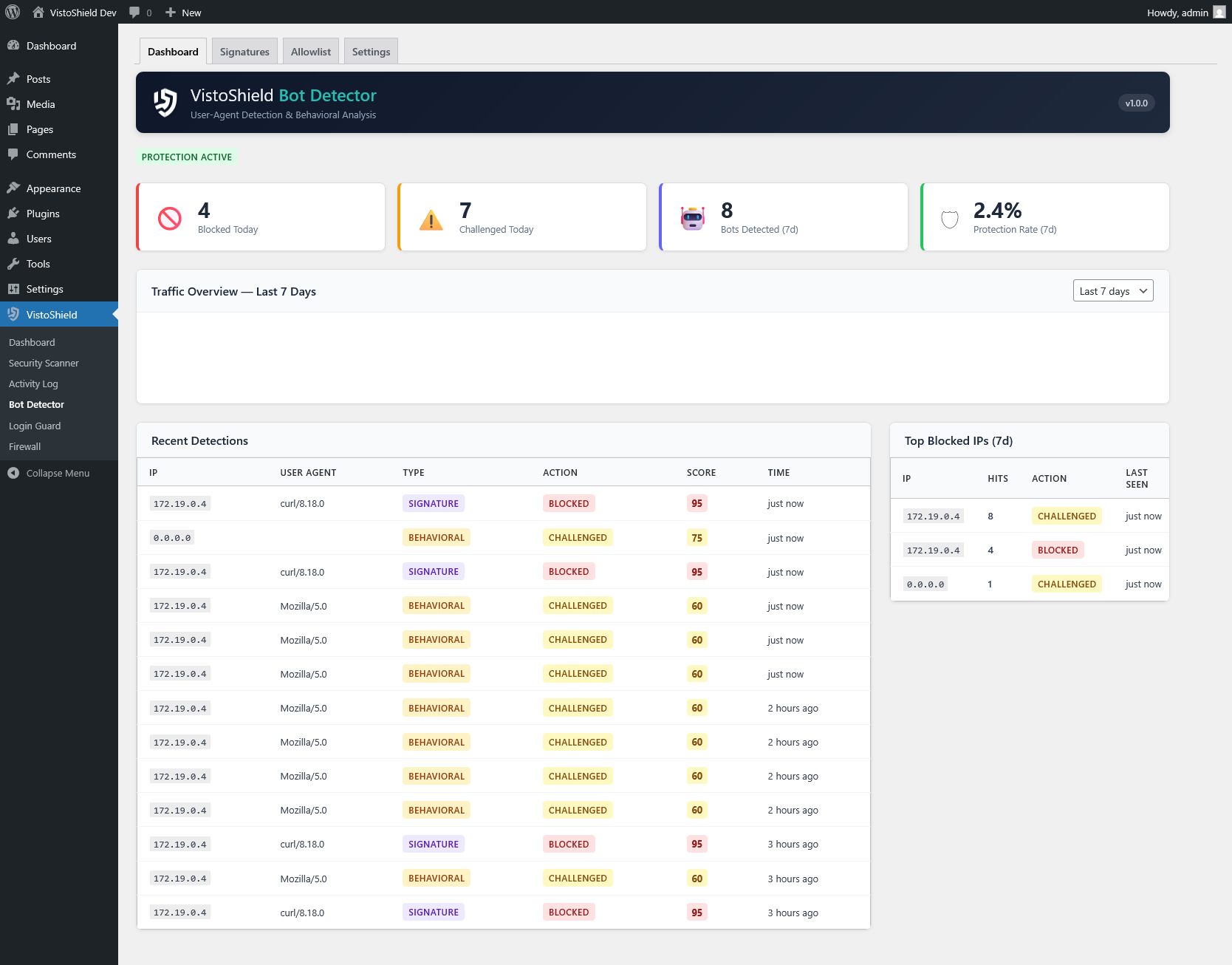
Live traffic, bot detection, and security scores across all your sites in one screen. No more logging into 10 separate WordPress or Joomla admins. Real-time visibility into every request hitting your servers.
Respond Instantly
Automated incident playbooks detect threats and act while you sleep. One-click IP blocking, plugin isolation, and real-time Slack/email alerts. Respond in seconds, not hours.
Prove Compliance
Weekly PDF reports with security scores, threat summaries, and GDPR audit trails. Send branded reports to clients. Extended history up to 30 days for compliance.
No Cloud Proxy
Unlike cloud WAFs, we never proxy your traffic. Zero latency, zero DNS changes. Your visitors connect directly to your server.
One Dashboard, All Sites
Unlike per-site plugins, manage all your sites from one cloud dashboard. No more logging into each WordPress or Joomla admin separately.
25+ Years Server Security
Built by Vistoweb (est. 2002), a hosting company managing hundreds of Linux servers. Real-world experience, not just software.
Your Data Stays in Europe
Cloud dashboard in ISO 27001 certified German datacenters. GDPR compliant by design, not as an afterthought.
How It Works
Three steps. Five minutes. Complete visibility.
Install the Agent
WordPress plugin from wordpress.org, Joomla 3/4/5 package, or a one-line SSH install — one lightweight agent that connects your site to the cloud dashboard.
Connect to Your Dashboard
Create your account, get your API key, enter it in the plugin. Your site starts reporting to the cloud in under 2 minutes. HMAC-authenticated, encrypted in transit.
Enable Your Modules
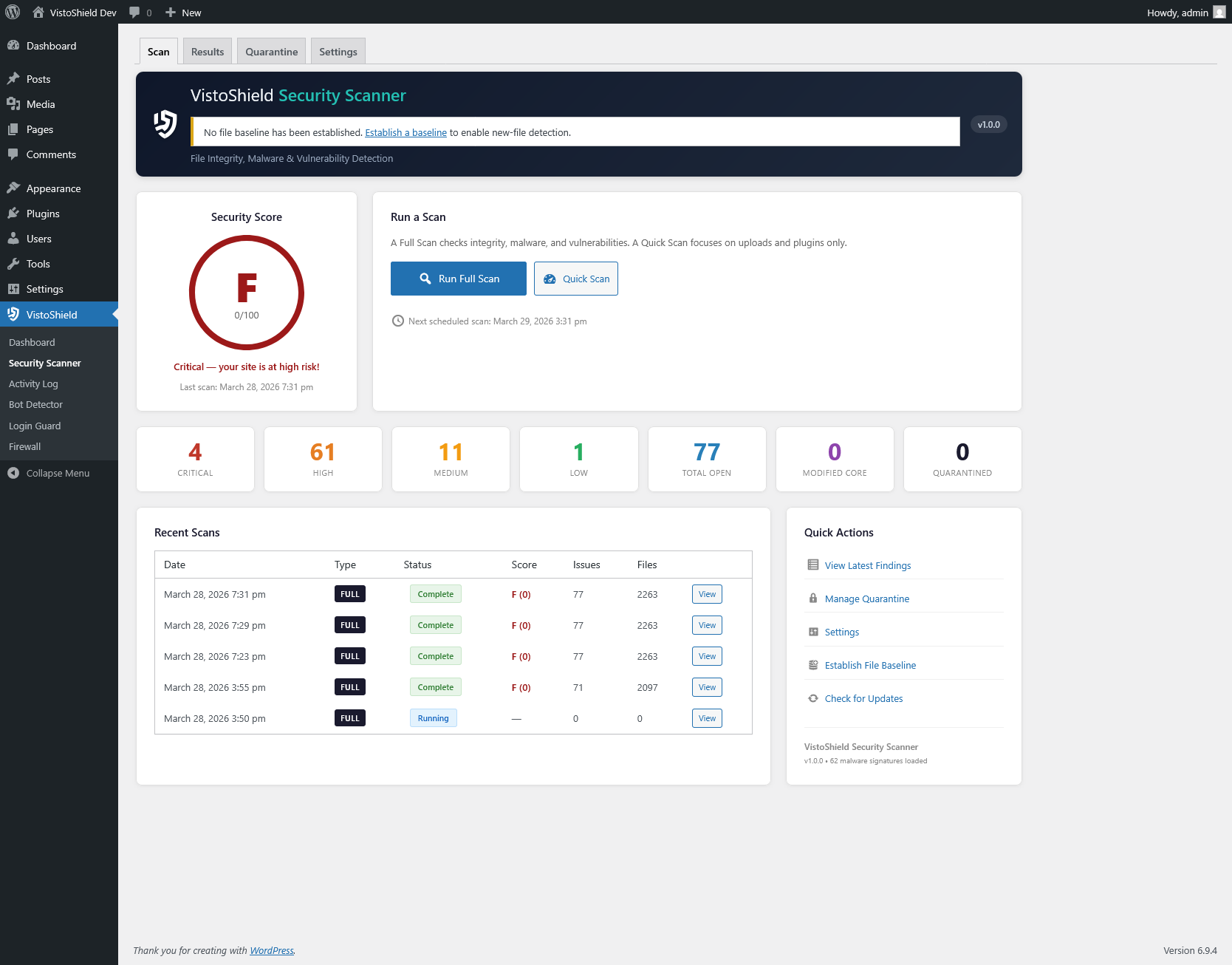
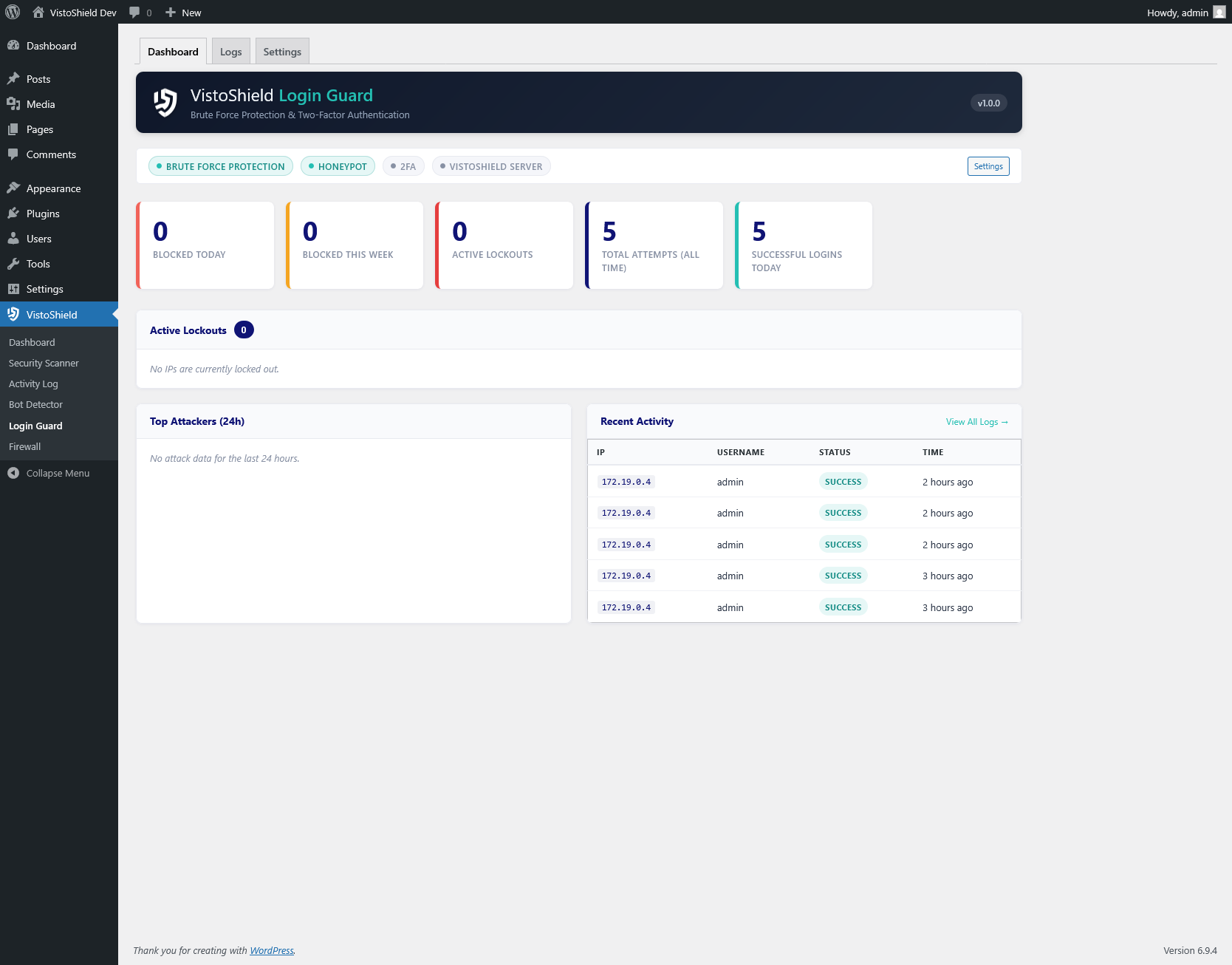
Activate any of the 14 modules — firewall, scanner, bot detector, and more — from the dashboard. Configure everything from one screen. No extra plugins needed.
No credit card required
Simple, Transparent Pricing
Start with a 14-day Pro trial. No credit card required. Downgrade to Free anytime.
Free
For personal sites and testing
free forever
No credit card required
- 5 modules active, 5 monitor-only
- 3-day data history
- On-demand scans
- Email security alerts
- 143 bot signatures (weekly)
- Weekly security report
- Up to 3 sites
- Owner only
- Community support
No credit card required
Pro
Best for freelancers and growing portfolios
per site / year
$7.42/mo per site · or $9.90/mo monthly
- All 14 modules unlocked
- 14-day data history
- Hourly scheduled scans
- Email + Slack + webhook alerts
- 500+ bot signatures (daily)
- PDF reports + weekly emails
- Up to 100 sites
- Team members (up to 5)
- Priority support
No credit card required
Max
For agencies & hosting providers
per site / year
$14.08/mo per site · or $19.90/mo monthly
- Everything in Pro, plus:
- 30-day data history
- White-label branding
- Email + Slack + webhook + SMS
- Branded PDF reports
- Partner API + reseller tools
- Up to 250 sites
- Team members (up to 20)
- Dedicated support
No credit card required
Backed by 25+ years of hosting security expertise • Vistoweb, est. 2002 • EU-hosted • GDPR compliant
EU EU-hosted cloud dashboard • Data encrypted in transit and at rest • GDPR compliant • 30-day money-back guarantee
Common Questions
What happens after the 14-day trial?
Your account downgrades to the Free plan. All settings, logs, and configurations are preserved. You keep up to 3 sites with 5 active modules, 5 in monitor-only mode, and 4 premium modules locked. Upgrade anytime to restore Pro features — nothing is lost.
How is VistoShield different from Wordfence or Sucuri?
VistoShield runs security on your server (no proxy, no DNS changes) and reports to an EU-hosted cloud dashboard. Wordfence is a single monolithic plugin. Sucuri routes all traffic through their cloud proxy. VistoShield gives you one lightweight plugin + 14 cloud-managed modules, with no vendor lock-in. See all comparisons →
Do I need a credit card to start?
No. Create your account and start your 14-day Pro trial with just an email address. No payment information required until you decide to upgrade.
Where is my data stored?
Security processing runs on your server. Security events sync to the cloud dashboard, hosted in the EU (ISO 27001 certified datacenters in Germany). All data encrypted in transit and at rest. Fully GDPR compliant.
Can I manage multiple sites?
Free: Up to 3 sites (5 active modules, 5 monitor-only, 4 premium locked). Pro: Up to 100 sites at $89/site/year. Max: Up to 250 sites at $169/site/year with white-label. All managed from one cloud dashboard.
How do the free trial and money-back guarantee work together?
Start with a 14-day free trial of Pro — no credit card required. After the trial, your account moves to the Free plan if you don't upgrade. If you do upgrade and change your mind, you're covered by a 30-day money-back guarantee from the date of purchase. So you get up to 44 days of risk-free evaluation.
Start Your 14-Day Pro Trial
Create your account, install one lightweight agent on your WordPress or Joomla site, and manage everything from the cloud. No credit card required. Downgrade to Free anytime.
Built by Vistoweb — 25+ years securing production servers since 2002. Managing hundreds of Linux servers across Europe. WordPress plugin is open source (GPLv2).