🔒 Login Guard
Brute force protection, two-factor authentication, and login monitoring for WordPress. Stop unauthorized access before it happens.
See It in Action
Explore the admin interface — click any screenshot to zoom
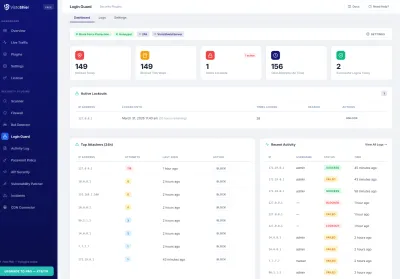
What This Solves
Brute force attacks target WordPress login pages thousands of times per day. Default WordPress has no lockout mechanism, no two-factor authentication, and no way to detect automated login attempts. Login Guard adds progressive lockouts, TOTP-based 2FA, honeypot fields, and complete login attempt logging.
Who This Module Is For
Sites Targeted by Brute Force
If your login page is hammered with automated password guesses, progressive lockouts shut attackers down fast while legitimate users barely notice a thing.
WooCommerce with Customer Logins
Customer accounts are a goldmine for credential stuffing. Honeypot CAPTCHA and 2FA keep real shoppers safe without adding checkout friction.
Anyone Needing 2FA Compliance
Cyber-insurance policies and security audits increasingly require multi-factor authentication. TOTP two-factor auth checks that box with zero external dependencies.
Key Features
Progressive Lockouts
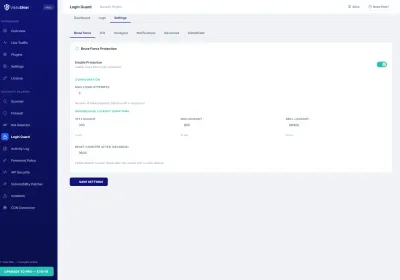
Escalating lockout durations that increase with repeated failures: 5 minutes after the first threshold, 15 minutes for repeat offenders, and 24 hours for persistent attackers.
Two-Factor Auth (TOTP)
Time-based one-time passwords compatible with Google Authenticator, Authy, and any TOTP app. Includes backup codes for emergency access.
Honeypot
An invisible form field that catches automated bots. Real users never see or fill it, but bots filling every field are instantly identified and blocked.
Login Logging
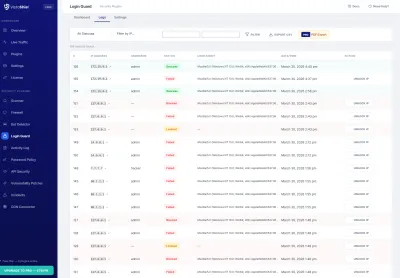
Full audit trail of every login attempt with IP address, user agent, username tried, timestamp, and result (success, failure, locked out, 2FA challenge).
IP Whitelisting
Trusted IPs and CIDR ranges bypass all brute force protection. Ideal for office networks or VPN exit nodes that should never be locked out.
Email Notifications
Instant email alerts when an IP address gets locked out, including the IP, location (GeoIP), number of failed attempts, and lockout duration.
How Login Protection Works
Login Guard monitors all authentication attempts to wp-login.php and xmlrpc.php. Failed attempts are tracked per IP address and per username, with independent counters for each.
Lockout Logic
The lockout system uses a progressive approach to handle both casual attackers and persistent threats:
- Stage 1 (5 minutes) — triggered after the configurable failure threshold (default: 5 attempts). Most legitimate users who mistyped their password will wait and try again.
- Stage 2 (15 minutes) — triggered when the same IP gets locked out a second time within 24 hours. Indicates a more determined attacker.
- Stage 3 (24 hours) — triggered on the third lockout within 24 hours. At this point the IP is also reported to the VistoShield daemon for server-level blocking.
All thresholds and durations are configurable. The lockout counter resets after the configured time window (default: 24 hours) with no new failures.
Two-Factor Authentication Setup
Setting up 2FA takes under a minute:
- Navigate to your WordPress profile page
- Scan the QR code with Google Authenticator or Authy
- Enter the 6-digit code to verify setup
- Save your 8 backup codes in a secure location
Administrators can enforce 2FA for specific roles (e.g., require it for all admins and editors but leave it optional for subscribers).
Each backup code can only be used once. When all 8 are exhausted, new codes can be generated from the profile page.
Honeypot Mechanism
The honeypot adds a hidden form field to the WordPress login page using CSS to make it invisible to human users. The field uses a randomized name attribute that changes periodically to avoid detection by sophisticated bots. Any submission that includes a value in this hidden field is immediately flagged as a bot and rejected without counting toward the lockout threshold.
This approach has zero impact on legitimate users since the field is not visible or interactive. It works alongside the lockout system as an additional layer of bot detection.
Why Upgrade Login Guard to Pro
Free stops brute force attacks and adds 2FA. Pro adds extended login history for investigating suspicious access patterns, PDF compliance reports proving login security to auditors or clients, and priority support for faster configuration help on sites with complex user roles. See this data in your cloud dashboard — alongside all your other sites.
Free vs Pro
Free gives you solid brute force protection and 2FA. Pro adds extended login history, PDF reports for compliance proof, and priority support.
| Feature | Free | Pro |
|---|---|---|
| Progressive lockouts | ✓ | ✓ |
| TOTP two-factor auth | ✓ | ✓ |
| Honeypot CAPTCHA | ✓ | ✓ |
| Login attempt history | 7 days | Up to 10 years |
| PDF login reports | ✗ | ✓ |
| Priority support | Community | 24h email |
| €0 forever | €79 /year (10 sites) — €6.50/mo | |
| Included Free | Start Free Trial No credit card required |
All Pro features included in the Pro plan at €79/year (10 sites). Managing client sites? See Agency plan →
Ready to Secure Your WordPress Login?
Install Login Guard from the WordPress plugin directory and enable brute force protection in seconds.
Get Started Free See All Plans →